


TL;DR
If you are about to go live on NetSuite, your data migration will set the tone for everything that follows. Get it right and your team trusts the system from day one. Get it wrong and you spend the next quarter writing manual journal entries to fix balances that should never have been wrong. This guide walks through the full migration process from discovery and cleansing to load sequencing, sandbox testing, cutover, and post-go-live validation so you can plan accurately and avoid the most common pitfalls.
What Is NetSuite Data Migration?
The Six Migration Phases at a Glance
Phase 1: Data Audit and Discovery
Phase 2: Data Cleansing and Mapping
Phase 3: Migration Tools – CSV, SuiteScript, and iPaaS
Phase 4: Master Data and Transactional Data – Load Sequencing
Phase 5: Test Migration in Sandbox
Phase 6: Go-Live Cutover and Post-Migration Validation
Common Pitfalls and How to Avoid Them
Realistic NetSuite Migration Timeline
NetSuite Data Migration Checklist
NetSuite data migration is the structured process of extracting, transforming, and loading legacy business records into NetSuite’s cloud Enterprise Resource Planning (ERP) system. It is not the same as moving files between folders. NetSuite uses a relational data model where records depend on each other in strict hierarchies. A transaction cannot exist without its parent master record, and a master record cannot reference a subsidiary, currency, or chart of accounts that has not yet been created.
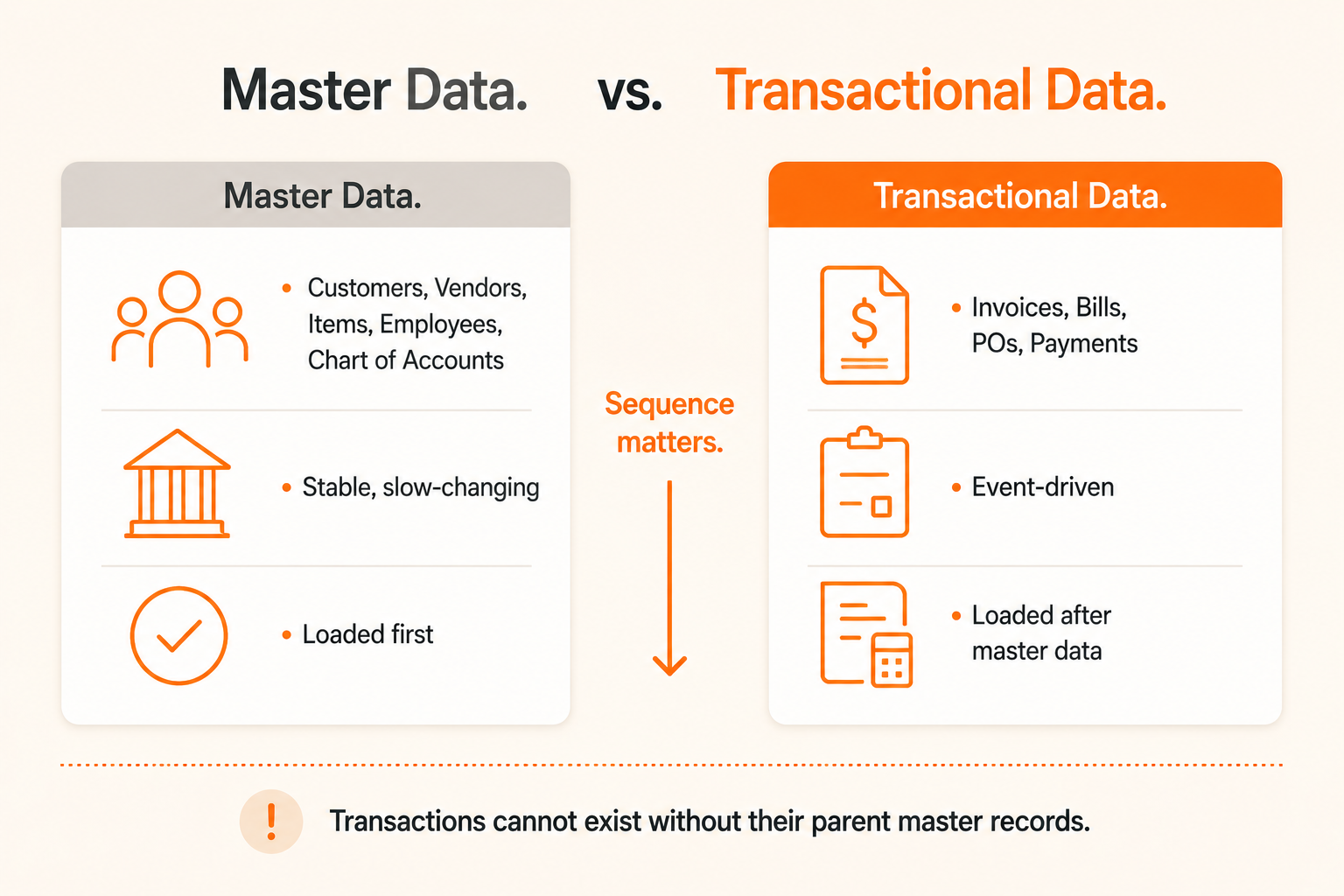
The data you migrate falls into two distinct categories:
Master Data — Static, slowly changing records: customers, vendors, items, employees, chart of accounts, departments, locations, and subsidiaries.
Transactional Data — Financial events tied to master records: invoices, bills, journal entries, purchase orders, sales orders, and opening balances.
The single most important rule: never load transactional data until your master data is complete and validated. If NetSuite cannot match an invoice to an existing customer record, the import fails outright. Worse, partial imports can leave orphaned records that quietly corrupt reporting for months.
Understanding the full arc before you start prevents scope creep and timeline overruns. A standard NetSuite data migration unfolds across six phases.
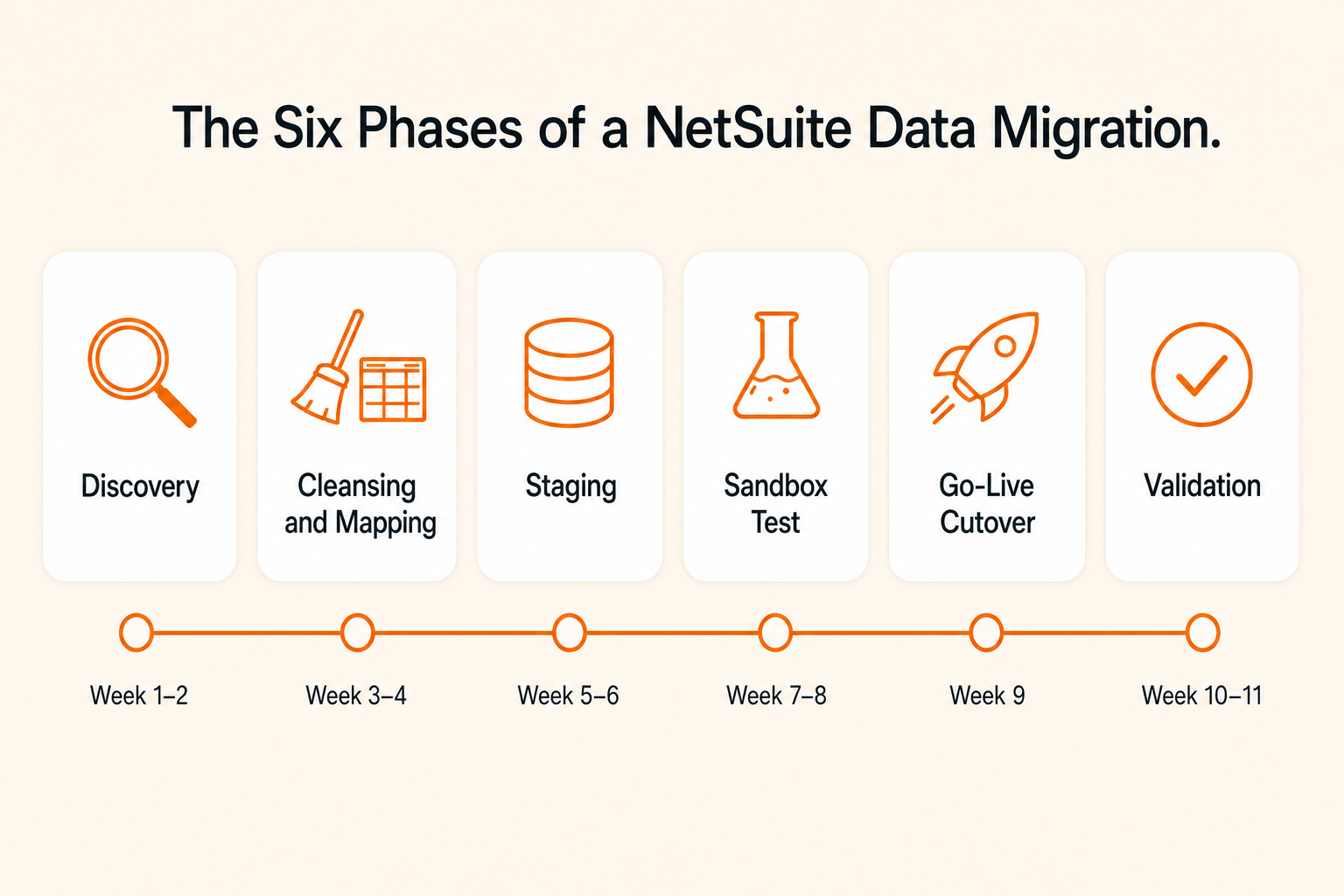
Phase | Activities | Typical Duration |
|---|---|---|
1. Discovery and Scoping | Audit legacy data, define scope, assign data owners | Weeks 1 to 2 |
2. Data Cleansing and Mapping | Deduplicate records, standardize formats, build mapping document | Weeks 2 to 4 |
3. Staging and Transformation | Extract to CSV or staging area, apply transformation logic | Weeks 3 to 5 |
4. Test Migration in Sandbox | Load into sandbox, fix errors, run at least two cycles | Weeks 4 to 6 |
5. Go-Live Cutover | Freeze legacy system, final load to production, cutover weekend | Weeks 7 to 12 |
6. Post-Migration Validation | Reconcile balances, compare record counts, monitor data integrity | Weeks 1 to 4 post-launch |
Simple deployments can complete migration in 6 to 8 weeks. Mid-market companies with complex data and multiple subsidiaries typically run 14 to 22 weeks end to end. Data quality is the single biggest variable that determines where you land on that range.
Every successful migration starts with honest clarity about what you actually have. Before touching a single record, audit every data source: legacy ERP, Customer Relationship Management (CRM), accounting software, spreadsheets, and any shadow systems individual teams have built around the gaps in your current platform.
Discovery tasks:
List every data object to be migrated (customers, vendors, items, open Accounts Receivable, open Accounts Payable, journal entries, inventory balances, fixed assets).
Identify source systems and their export formats (CSV, XML, API).
Define your cutover date the moment NetSuite becomes the system of record.
Capture baseline record counts for every object. These counts become your reconciliation anchor during validation.
Map records to currencies, subsidiaries, and legal entities early to avoid downstream surprises.
Most migration failures are rooted in skipped discovery work: assumptions about data completeness that turn out to be wrong, legacy records intertwined with systems nobody knew existed, or a chart of accounts that looks clean until someone runs the duplicate report.
Legacy data is rarely clean. Plan to spend roughly 30–40% of your migration timeline here. Expect to find:
Duplicate customer and vendor records with slight name variations
Inactive or obsolete items still linked to open transactions
Missing or inconsistent tax identifiers and account codes
Broken relationships between transactions and master data
Currency inconsistencies across entities
Date, phone, and address formats that do not match NetSuite’s expected structure
Resolve duplicates using rules based on tax identifier or unique code, not name matching alone. Standardize date fields before loading. Document every transformation decision in a data mapping spreadsheet that maps every legacy field to its NetSuite counterpart.
Your mapping document is the single most important artifact of the migration. It should:
Cover every field across all data objects.
Flag unmatched or unmappable fields explicitly.
Specify whether unmapped data goes into custom fields, gets archived externally, or is discarded.
List required fields for each NetSuite record type.
Define transformation logic (for example, "Client Code in legacy becomes Customer Identifier in NetSuite").
Use External IDs to track the relationship between every legacy record and its NetSuite counterpart.
External IDs deserve special attention. Adding them retroactively after a load goes wrong is painful. Building them in from day one means a re-import or a correction run is straightforward.
In practice, the partner usually provides the migration templates and validates the format, while the client owns the data extraction, cleansing, and template population. That split is normal and it works but it requires the client to allocate enough internal capacity to actually do the cleansing work. Underestimating that effort is one of the most common reasons migrations slip.
NetSuite gives you several mechanisms for loading data, each with different trade-offs.
 CSV Import (The Workhorse)
NetSuite's built-in CSV Import Assistant handles the majority of record types: customers, vendors, items, transactions, journal entries, custom records. Navigate to it via Setup, then Import/Export, then Import CSV Records.
The standard workflow is:
Export data from your source system to a Comma-Separated Values (CSV) file.
Map CSV columns to NetSuite fields using the Import Assistant.
Run a test import in your sandbox.
Review the error log and fix mapping or data issues.
Re-run until the import completes cleanly.
Execute the final production import during cutover.
CSV import limits to know:
Maximum 25,000 records per file upload.
Up to 5,000 transactions per import job.
Up to 10,000 journal entry lines, with performance degrading above 1,000 lines.
For datasets above 100,000 records, CSV alone is slow. Use SuiteScript or an integration platform.
One trap that has burned more than one migration team: the “Run Server SuiteScript and Trigger Workflows” checkbox in the Import Assistant. Leave it unchecked for every migration import. If your account has a workflow that fires a welcome email when a customer record is created, leaving this checked while importing 5,000 historical customers will blast every single one of them with a welcome message. That mistake is nearly impossible to take back.
As of NetSuite’s 2025.1 release, Item Fulfillments and Item Receipts were added as natively supported CSV import record types, removing one of the longest-standing reasons to reach for third-party tools.
SuiteScript for Automated ImportsFor high-volume or recurring imports, SuiteScript lets you automate the CSV import process programmatically. You create a "Saved CSV Import" record (a reusable mapping template), then call it via SuiteScript on a schedule or trigger. This matters when:
You need to pull files from an external Secure File Transfer Protocol (SFTP) server automatically.
You want to run imports on an interval without manual intervention.
You are migrating large datasets in controlled batches across a multi-day cutover window.
SuiteScript's Map/Reduce script type is particularly well suited to heavy data processing. It distributes work across NetSuite's server infrastructure and handles large record volumes without timing out.
Third-Party Integration PlatformsFor complex migrations involving multiple source systems, or for ongoing data synchronization after go-live, integration Platform-as-a-Service (iPaaS) tools are commonly used alongside NetSuite.
Tool | Best For | Approximate Cost | Notes |
|---|---|---|---|
Celigo | NetSuite-centric integrations: Shopify, Salesforce, Amazon | $600 to $5,000+ per month | Built by former NetSuite engineers. Pre-built connectors. Easier for non-developers. |
Boomi | Enterprise multi-system architectures, on-premise databases | $1,500 to $5,000+ per month | Broader connector library. Steeper learning curve. |
NetSuite SuiteTalk (SOAP and REST) | Large or ongoing migrations. Record types CSV does not support. | Included with NetSuite | Recommended for very large datasets. |
For most small to mid-market companies, Celigo is the more practical choice. Boomi's additional complexity tends to suit larger enterprises with complex on-premise infrastructure.
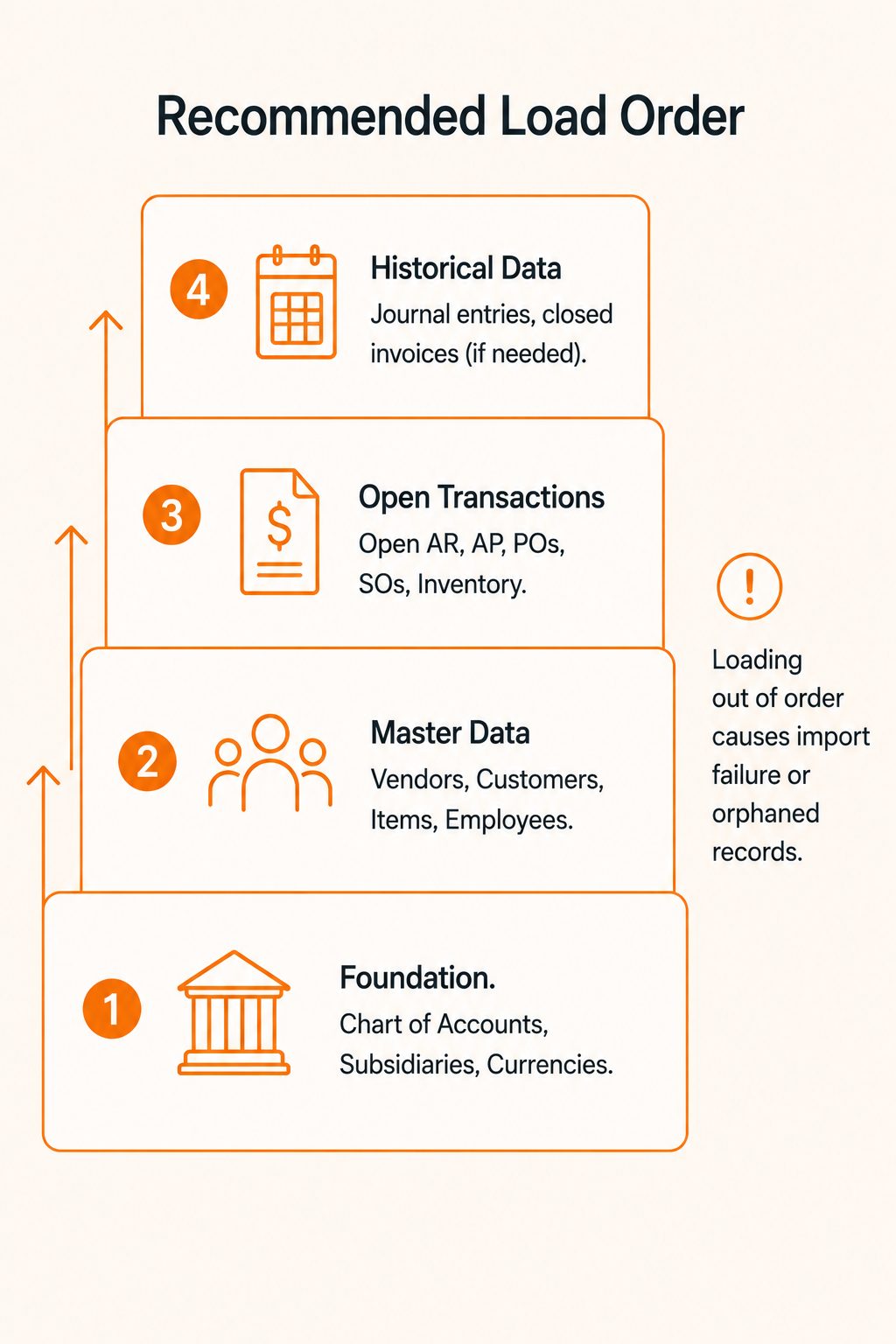
Sequencing is not optional. NetSuite enforces referential integrity. Load in the wrong order and your import either fails or, worse, creates orphaned records that corrupt your reporting.
The recommended load order:
Step 1. Foundation records (no dependencies):
Chart of Accounts.
Subsidiaries, Departments, Classes, Locations.
Tax codes and nexuses.
Currencies and exchange rates.
Step 2. Master data entities:
Vendors.
Customers and associated contacts.
Employees.
Inventory and non-inventory items.
Price levels.
Step 3. Open transactional data (current period):
Open Accounts Receivable invoices.
Open Accounts Payable bills.
Open purchase orders and sales orders.
Opening inventory balances.
Step 4. Historical data (if applicable):
Historical journal entries.
Closed invoices and bills (only if you genuinely need full history in NetSuite).
This is one of the most contested decisions in any NetSuite project, and the wrong answer is almost always “all of it.”
Migrating seven to ten years of detailed transaction history is expensive, technically risky, and creates data quality problems that can linger for years. The pragmatic approach is to migrate open balances and two to three years of active transaction history into NetSuite, then archive everything older in a low-cost data warehouse (Snowflake, BigQuery, or a SQL database) for compliance and reporting purposes.
In many efficient implementations, teams migrate master data plus opening balances only, with no historical transactions. The legacy system is retained in read-only mode for two to three years for historical lookup. The team is on NetSuite faster, the migration cost is lower, and there is no risk of importing dirty history that pollutes the new general ledger.
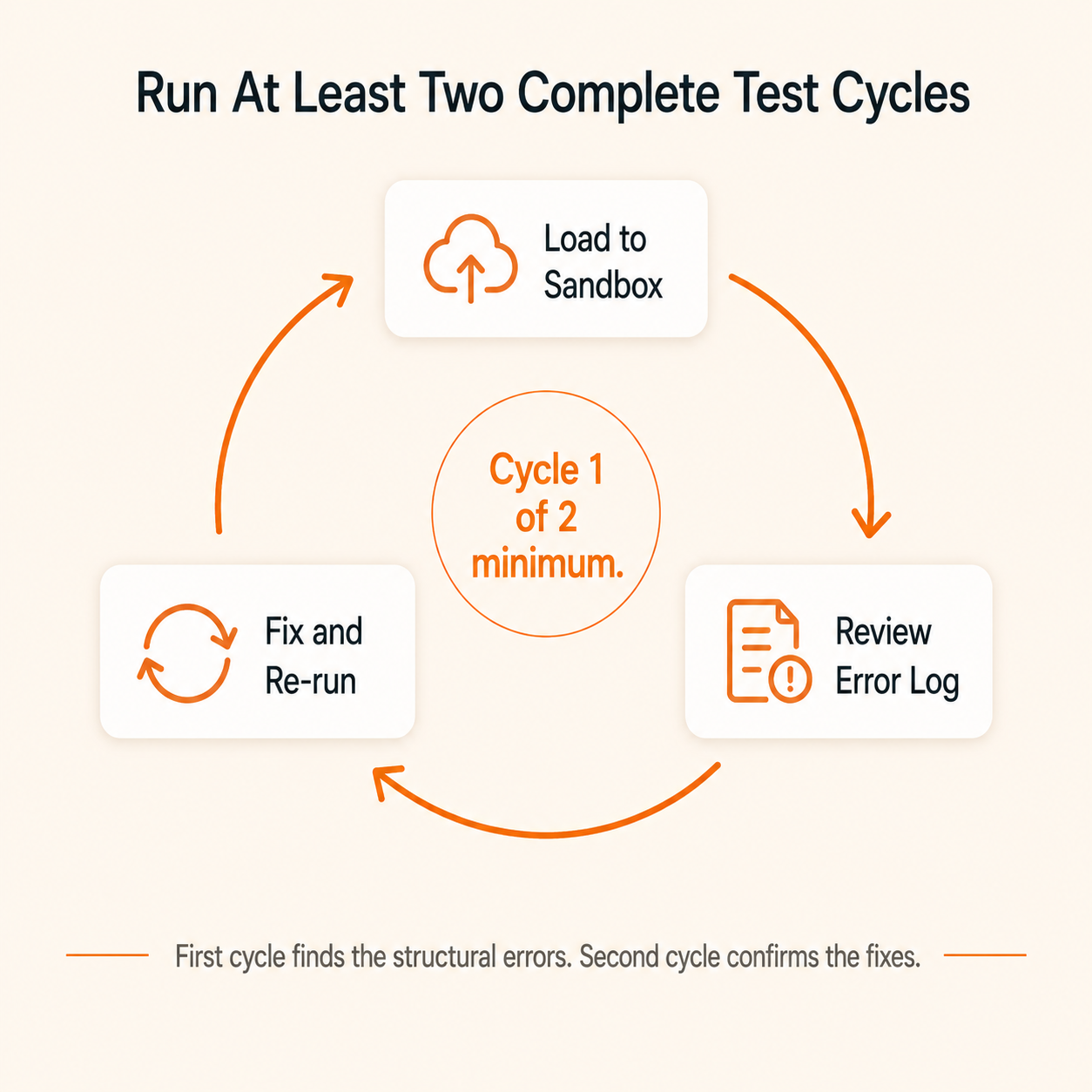
Never skip sandbox testing. Run at least two full test cycles, not one.
First cycle. You will identify format errors, missing required fields, and broken parent-child relationships. The error log will be long. That is normal. The first cycle is where you find out what your mapping document missed.
Second cycle. Confirm that the fixes from cycle one resolved the original errors and did not introduce new ones.
What to validate during sandbox testing:
Record counts match the expected baseline for each object.
Mandatory fields are populated and in the correct format.
Parent records exist before child records (referential integrity intact).
External IDs are consistent and allow record-level reconciliation.
Workflows and automations behave correctly on imported records.
Financial totals (AR, AP, General Ledger (GL) balances) match source system reports.
A pattern we see in our larger projects is three sandbox cycles, not two. Cycle one catches structural errors, cycle two catches data quality, cycle three is the dress rehearsal for cutover with the actual cutover team running it end to end. If your timeline allows, build that third cycle in.
Cutover PlanningThe cutover is the single highest-risk moment in the entire project. Most teams execute a “big bang” cutover over a weekend or planned downtime window. The sequence:
Freeze the legacy system in read-only mode.
Extract the final dataset with all transactions up to the cutover date.
Load data into the NetSuite production environment in the validated sequence.
Run immediate validation checks.
Confirm go-live with key stakeholders before lifting the freeze.
Always have a documented, tested rollback plan before you begin. A rollback plan is the procedure to revert to the legacy system if the production load fails or produces unacceptable data quality. It feels paranoid until the one time you need it.
Post-Migration ValidationValidation is not optional. After loading, confirm data integrity across three dimensions:
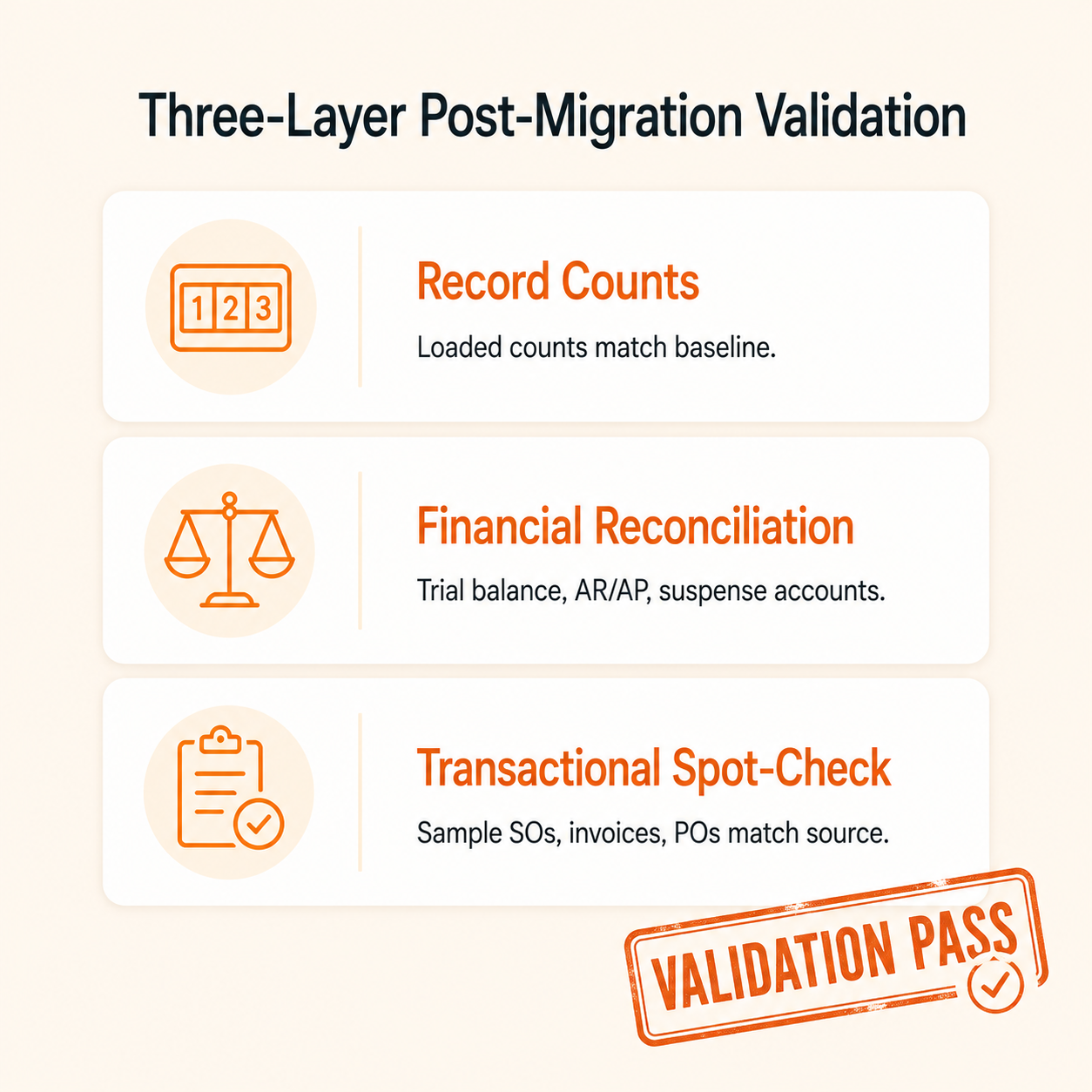
1. Record Count Reconciliation. Compare loaded record counts in NetSuite against your Phase 1 baseline. Any variance requires a documented explanation.
2. Financial Reconciliation.
Run a trial balance tieout. Compare General Ledger account balances between the legacy system and NetSuite for each year-end and as of the go-live date.
Reconcile AR and AP subledgers. Confirm customer and vendor balances match. Watch for transactions sitting under "No Customer" or "No Vendor" lines.
Verify any suspense accounts used during migration carry a zero balance.
3. Transactional Spot-Check. Verify that sales orders, invoices, purchase orders, and payments migrated with accurate quantities, prices, and dates. Run the standard financial reports (trial balance, AR aging, inventory valuation) in NetSuite and compare outputs against the legacy reports.
Keep the legacy system available in read-only mode for at least three months post-launch. Users will need it to look up historical context while they settle into NetSuite.
Pitfall | Why It Happens | How to Avoid It |
|---|---|---|
Migrating too much history | Assumes "more data equals more value" | Limit to 2 to 3 years of transactions. Archive the rest. |
Skipping data cleansing | Teams underestimate how dirty legacy data is | Deduplicate and standardize before mapping. Budget 30 to 40 percent of migration time for cleansing. |
Wrong load order | Transactional records loaded before master data | Always load Chart of Accounts, then master data, then transactions. |
SuiteScript and workflows left active | Default import setting triggers live automations | Uncheck "Run Server SuiteScript" for every migration import. |
No sandbox test cycle | Teams skip testing to save time | Mandate at least two complete test cycles. Never load directly to production. |
Missing External IDs | Feels unnecessary in early planning | Use External IDs from day one. They are essential for reconciliation and re-imports. |
No rollback plan | Optimism bias. Cutover feels like the finish line. | Document and test the rollback procedure before cutover begins. |
Importing AR or AP balances twice | Open balances imported as transactions and again in account balances | When importing open AP and AR, verify amounts are not duplicated in the trial balance load. |
Company Profile | Typical Timeline | Key Variables |
|---|---|---|
Small (under 25 users), standard financials | 8 to 12 weeks | Minimal integrations, few data sources |
Mid-market (25 to 100 users), inventory and CRM | 12 to 16 weeks | Three to five integrations, moderate complexity |
Enterprise (100+ users), multi-subsidiary | 4 to 6 months | Heavy customization, complex migration |
Complex enterprise, multi-country or post-merger | 6 to 12 months | Phased rollout recommended |
Data quality is the number one cause of timeline extensions. Dirty legacy data can double the migration timeline. Every significant scope change mid-project adds one to three weeks. A clean source system that has been actively maintained will land you at the lower end of the range. A legacy system held together with spreadsheets and workarounds will not.
Use this as your working checklist across the project.
 Pre-Migration
All legacy data sources identified and documented.
Data scope defined (what migrates, what is archived).
Cutover date confirmed with all stakeholders.
Data owners assigned for each data object.
Baseline record counts captured for all objects.
Duplicates identified and resolution rules agreed.
Data cleansing completed (formats, currencies, tax codes standardized).
Chart of Accounts finalized in NetSuite.
Tax nexuses and codes configured in NetSuite.
Data mapping document completed and reviewed.
External IDs defined and applied to all records.
Sandbox environment set up and ready for testing.
Rollback plan documented.
During Migration (Test Cycles)CSV import templates prepared for each record type.
"Run Server SuiteScript" checkbox unchecked for every import job.
Master data loaded first (accounts, then entities, then items).
Test Cycle 1 complete. Error log reviewed and resolved.
Test Cycle 2 complete. Fixes confirmed.
Record counts validated against baseline.
Financial balances reconciled in sandbox.
Workflows and approvals tested on migrated records.
Key stakeholders signed off on sandbox validation.
Go-Live CutoverLegacy system frozen in read-only mode.
Final dataset extracted with cutover date.
Production load executed in correct sequence.
Immediate record count spot-check completed.
Trial balance tieout completed (legacy versus NetSuite).
AR and AP subledger tieout completed.
Suspense accounts confirmed at zero.
Go-live confirmed by finance and operations leads.
Post-MigrationLegacy system retained in read-only mode for at least three months.
Opening trial balance rollforward prepared for auditors.
Standard reports reconciled against legacy baselines.
Post go-live data monitoring process defined.
Users trained on accessing historical data in legacy system.
Support escalation process documented.
Never load transactional data until master data is complete and validated.
Data quality is the single biggest variable that determines migration timeline and success.
Budget 30–40% of the migration effort for cleansing and mapping.
Use External IDs from day one they make reconciliation and re-imports straightforward.
Always run at least two full sandbox test cycles before production cutover.
Limit historical data to open balances plus 2–3 years of active transactions; archive the rest.
Leave the “Run Server SuiteScript” checkbox unchecked on every migration import.
Have a documented, tested rollback plan before cutover begins.
Talk to Softype about your NetSuite data migration. Our team has delivered migrations across finance-led, manufacturing, distribution, and multi-entity environments.

Migration timelines range from 6 to 8 weeks for simple deployments to 6 to 12 months for complex multi-subsidiary or multi-country rollouts. For most mid-market companies, plan for 12 to 16 weeks. Data quality is the biggest variable. Clean data loads fast. Dirty data extends timelines significantly.
No. Migrating everything is the single most common cause of implementation delays. The recommended approach is to migrate open balances and two to three years of active transaction history into NetSuite. Older records belong in a low-cost data warehouse for compliance and reporting purposes. Full historical loads increase project cost, introduce data quality risk, and can degrade NetSuite system performance over time.
Master data covers your core business entities (customers, vendors, items, employees, chart of accounts) which are stable and change infrequently. Transactional data records specific business events (invoices, bills, payments, purchase orders) that depend on master data to exist. Because transactions reference master records by identifier, master data must be fully validated in NetSuite before any transactional data is loaded.
CSV import supports a wide range of record types including customers, vendors, items, invoices, journal entries, and (as of the 2025.1 release) item fulfillments and item receipts. It is limited to 25,000 records per file and 5,000 transactions per job. For very large datasets, record types not supported by CSV, or ongoing automated migrations, use SuiteScript, SuiteTalk web services, or an iPaaS platform.
A NetSuite sandbox is a copy of your production account used for testing without affecting live data. Every test migration should run in sandbox first. It lets you discover mapping errors, trigger workflow issues, and validate data integrity before the real cutover. Running at least two full test cycles in sandbox is industry standard practice.
An External Identifier is a field in NetSuite that stores the record's identifier from your legacy system. It creates a permanent link between the original record and its NetSuite counterpart, which is essential for reconciliation, troubleshooting import errors, and re-loading data if a correction run is needed. Assign External Identifiers from the start of data preparation. Adding them retroactively is painful and error-prone.
This is exactly why a rollback plan is non-negotiable. A rollback plan documents the steps to revert to the legacy system if the production load fails or produces unacceptable data quality. Test it in the sandbox before cutover day. Keeping the legacy system in read-only mode (not decommissioned) for at least three months gives your team a safety net during the critical stabilization period.
This is exactly why a rollback plan is non-negotiable. A rollback plan documents the steps to revert to the legacy system if the production load fails or produces unacceptable data quality. Test it in the sandbox before cutover day. Keeping the legacy system in read-only mode (not decommissioned) for at least three months gives your team a safety net during the critical stabilization period.
For most first-time buyers, working with a certified NetSuite partner reduces risk meaningfully. Partners bring pre-built CSV templates, proven sequencing playbooks, and experience recognizing edge cases that first-time teams encounter as surprises. Review the partner's statement of work carefully to understand which migration tasks are covered versus what your team is responsible for. For smaller, simpler deployments, a structured internal effort supported by NetSuite Professional Services is a viable alternative. For guidance on evaluating partners, see NetSuite Implementation Partners in the Philippines: How to Choose.


Helping businesses thrive with integrated ERP solutions.
NetSuite
Service
Company
Contact Us
Copyright © 2026


