

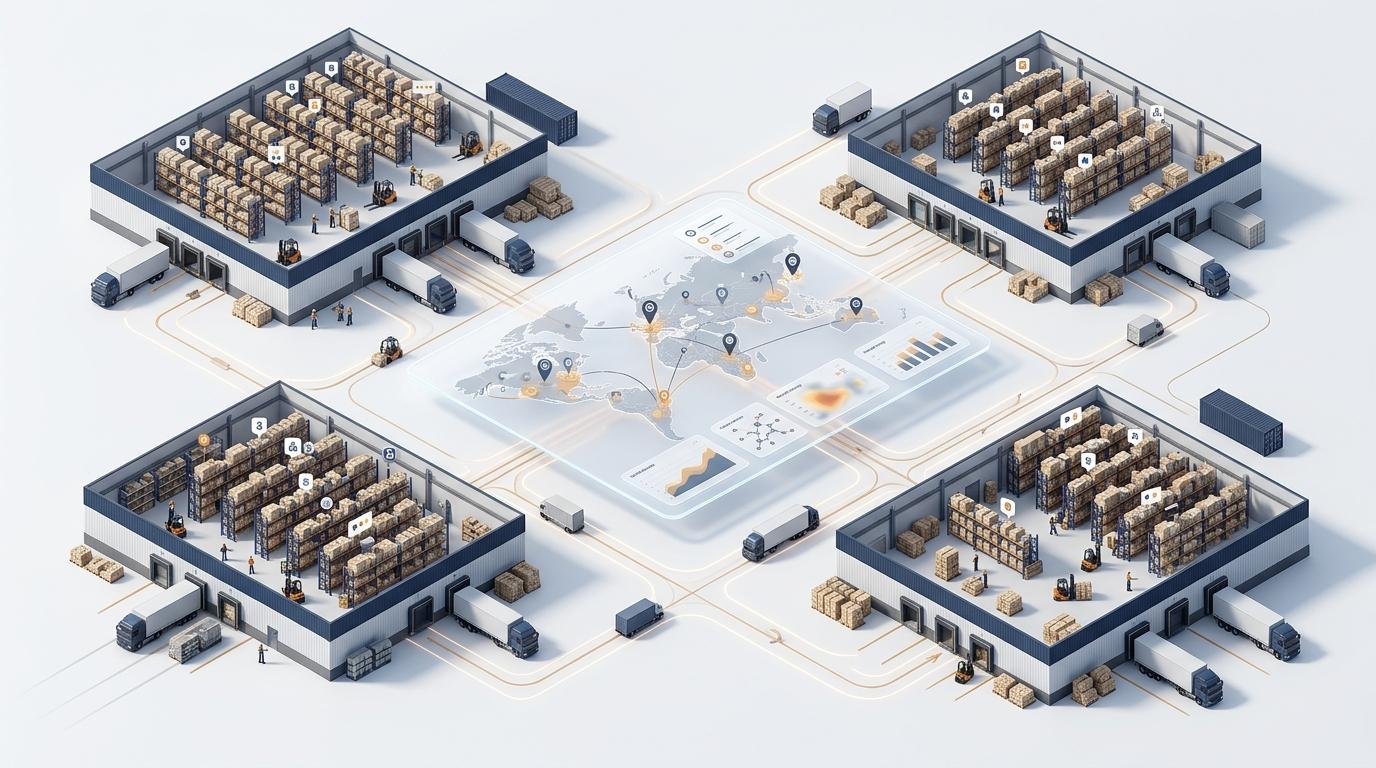
A distributor with four warehouses can own plenty of stock and still reorder an item already sitting idle at another site. One team may promise units that are committed or damaged; another may count a transfer before it arrives. The result is duplicated purchasing, avoidable delays, and hours spent reconciling conflicting numbers.
Explore ERP considerations for distributors as you assess how inventory, purchasing, and operations should work together across locations.
Answer: Multi-warehouse inventory management is the practice of keeping one trusted inventory view across every warehouse, branch, or fulfillment location. It shows where each item is, whether it is available or committed, what is held, and what is moving or expected. It is more than adding site totals together: the purpose is to make reliable replenishment, transfer, and fulfillment decisions.
A network total answers how much stock the business has recorded, but not whether a warehouse can use it. Imagine a report showing 8,420 units across several sites. Some may be committed to open orders, some on quality hold, some in transit, and some awaiting receipt. A planner who sees only the total may conclude supply is healthy while a local team faces a real shortage.
Leaders need to see each item’s location and status. On hand means the quantity the system says is physically there. Available is stock that can be used for new demand. Committed stock is already assigned to an order. Held stock cannot be used yet, perhaps because it is damaged or under inspection. In transit has left one company location but has not arrived at another. Microsoft Learn’s on-hand inventory guide explains how physical stock differs from stock available for reservation. Oracle NetSuite’s inventory-status documentation explains how status affects whether stock can be used.
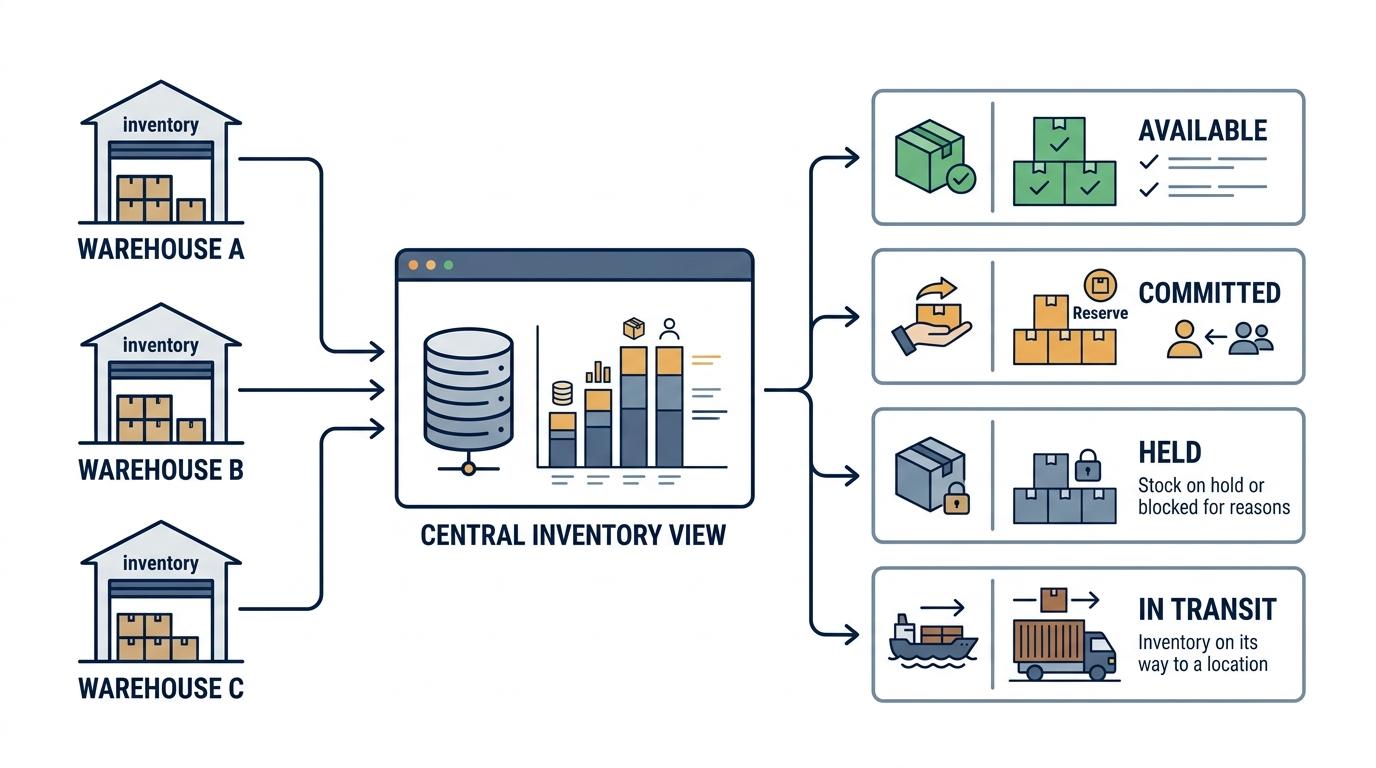
Keep supplier orders separate from stock you have received. A purchase order shows what you expect, not what is ready to use. Clear status rules help teams avoid counting a supplier promise as available stock or counting a transfer at both locations.
Location-by-location tracking can support local work, but a connected view lets leaders compare sites and act on the network position. The difference shows up in daily decisions:
Decision area | Location-by-location tracking | Connected multi-warehouse view |
|---|---|---|
Stock accuracy | Local files and delayed updates make totals hard to trust. | Balances are visible by item and location, with count variances followed up. |
Transfer visibility | Teams ask by email whether goods shipped or arrived. | Dispatch, in-transit, receipt, and outstanding quantities are distinguishable. |
Replenishment decisions | Local shortages trigger buying without checking elsewhere. | Location rules are considered alongside network stock and expected supply. |
Fulfillment options | On-hand quantity may hide commitments or holds. | Available stock and eligible locations inform allocation. |
Duplicate purchasing | A site may order stock another site already holds. | Buyers can check network availability and transfers before buying. |
Leadership visibility | Reports are stitched together and teams cite different figures. | Leaders can review the network and drill into location-level exceptions. |
The connected view does not make every location interchangeable. A unit may be too far away, held for quality, committed to another customer, or subject to lot restrictions. Visibility gives decision-makers the context to determine whether inventory can—and should—move.
A shared system can consolidate inaccurate information just as efficiently as accurate information. Trust comes from consistent definitions and timely operational transactions.
Give each item a consistent identifier, description, unit of measure, and conversion rule. If one site counts cases and another counts eaches without a clear conversion, network totals can mislead. Define which warehouses, branches, staging areas, returns zones, and quarantine areas hold separate balances. Where bin location detail matters, keep the hierarchy understandable from facility to zone and bin.
A purchase order describes what is expected; receiving confirms what arrived, in what quantity and condition. Short shipments, damage, and items awaiting inspection should not silently become available stock. Likewise, picks and shipments need prompt posting. If the system learns of a movement only after a shift or spreadsheet update, replenishment and fulfillment decisions use stale information.
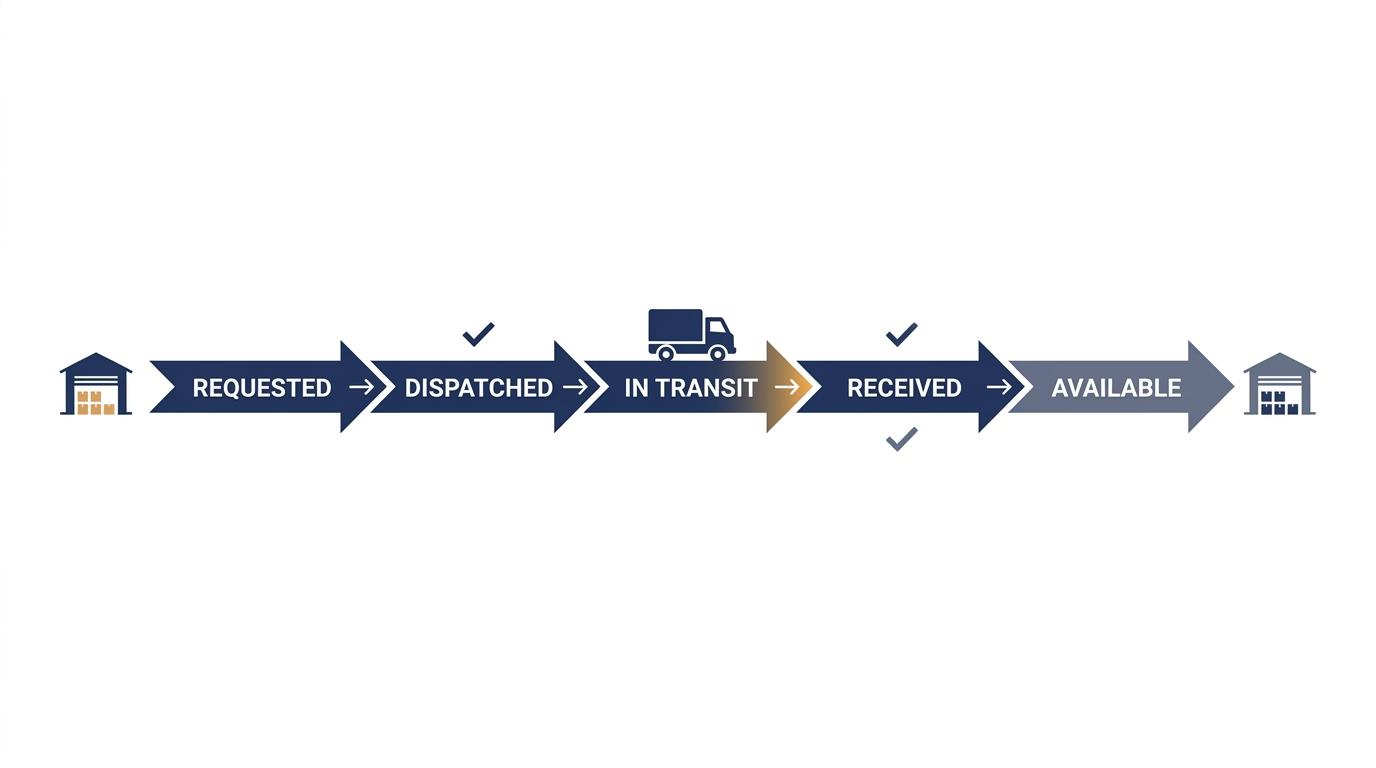
Confirm each inventory transfer at both locations. Track what the source asked to send, what it shipped, what is in transit, and what the destination received. If 100 units leave and 97 arrive, investigate the difference instead of adjusting it away. See Oracle NetSuite’s transfer-order documentation for an example of a staged transfer.
For a transfer that takes days, stock should not count as available at either location before it arrives. Track it as in transit until the destination confirms receipt. This helps managers spot late transfers, missing quantities, and repeat stock imbalances. It also helps prevent double counts and duplicate orders. By contrast, Oracle NetSuite explains that a basic inventory transfer updates both locations in one step.
Cycle counting means counting selected items and locations on a regular schedule, rather than waiting for an annual count. Count high-value or fast-moving items more often. When the same difference keeps appearing, check the cause—such as receiving, putaway, picking, returns, or transfer confirmation—instead of making another one-time adjustment. ASCM discusses regular cycle counting as a way to support inventory accuracy.
A connected replenishment setup can use warehouse-level requirements to plan transfers between locations. Microsoft Learn describes assigning a source warehouse to refill another warehouse, then using master scheduling to create planned transfer orders; it also explains how to set transport days between warehouses. See Microsoft Learn’s “Set up warehouses for transfer orders” (May 28, 2026).
Before approving a purchase, check the local available stock. Then look at stock in other locations, open supplier orders, and transfers in transit. Consider a transfer if usable surplus can arrive on time and the move makes sense. Buy more when the whole network needs stock, or when a transfer would cost too much or take too long.
Set clear rules for which location should fulfill each order. You might choose the default site, a location with enough available stock, the nearest warehouse, or a site with extra stock. Consider delivery time, freight cost, capacity, existing commitments, and any lot or quality limits. Clear rules help teams make consistent choices without treating every warehouse as if it were the same place.
For a deeper look at how inventory, transfers, and replenishment capabilities fit together, read Softype’s NetSuite Inventory Management guide. Its focus is system capabilities; this article’s focus is the management discipline required to trust a network-wide position.
Use this checklist with operations, purchasing, and finance. A dependable answer should not require assembling multiple spreadsheets first.
Can teams see on-hand, available, committed, in-transit, and held stock for each item at each location?
Are supplier orders kept distinct from stock already received?
Are transfers confirmed at dispatch and receipt, with in-transit quantities and variances visible?
Does each location have a cycle-count schedule, with discrepancies investigated at the relevant site?
Are reorder points, safety stock, and replenishment rules reviewed at the location level?
Are fulfillment priorities documented, including how commitments, holds, and transfer timing affect a decision?
Do receipts, picks, and shipments update the inventory view promptly when goods move?
Can leaders identify surplus, shortages, overdue transfers, and long-standing holds without requesting separate reports?
If answers are unclear, start by tracing one frequently moved item from receiving through storage, allocation, transfer, and receipt. That practical walkthrough often reveals whether the issue is definitions, transaction timing, counting discipline, or a missing exception process.
It is the coordinated management of stock across multiple warehouses, branches, or fulfillment locations. A useful view shows location and status—not just a network total—so teams can plan transfers, replenishment, and fulfillment using the same position.
Record inventory movements against shared item and location definitions, and make balances visible both by site and across the network. The view should distinguish available stock from committed, held, expected, and in-transit quantities.
Track the transfer from request through dispatch, in-transit movement, and destination receipt. The sending location confirms what left; the receiving location confirms what arrived. Investigate quantity or condition differences before closing the movement.
On hand is the quantity recorded as physically present. Available is the portion that can be allocated to new demand after accounting for commitments and stock excluded from use, such as items on hold.
It lets buyers check whether another location has usable surplus, whether an internal transfer can arrive in time, and whether supply is already expected. That can reveal when repositioning existing stock is more appropriate than increasing total inventory.
They become difficult to rely on when several teams update balances on different schedules, stock is committed before shipment, or transfers spend meaningful time in transit. At that point, manual reconciliation can leave decisions based on conflicting or outdated quantities.
No. Shared visibility does not replace timely receipts and picks, confirmed transfers, clear stock statuses, and regular cycle counts. The system can support accurate decisions only when the processes feeding it reflect physical movement.
One trusted inventory view is not a single large quantity. It is a shared understanding of where stock sits, what is available, what is committed or held, and what is still moving. With those details in view, leaders can distinguish a true shortage from a stock-placement problem and make better purchasing and fulfillment decisions.
Book a 30-minute multi-warehouse inventory discussion with Softype to review the inventory visibility and transfer questions facing your operation.


Helping businesses thrive with integrated ERP solutions.
NetSuite
Service
Company
Contact Us
Copyright © 2026


